Most "AI for Enterprise Architect" pitches show a chat window bolted onto
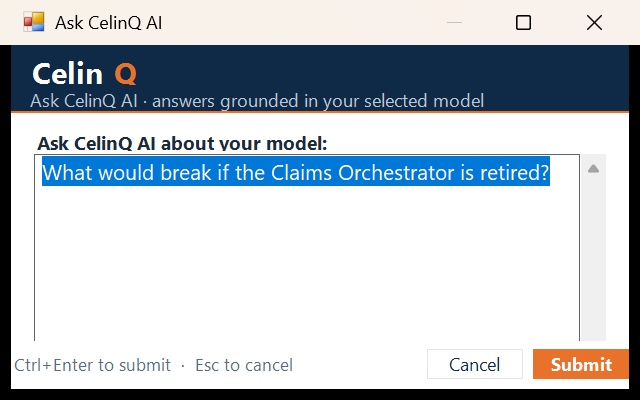
the side of the tool. CelinQ's is reached from EA's own CelinQ menu — Ask
CelinQ AI, Analyze Selected Package, Generate into Selected
Package — because the point isn't a second interface to learn. It's the existing
one, made a little more capable, without changing what an architect's day looks like.
Grounded in the real repository, not a blank context window
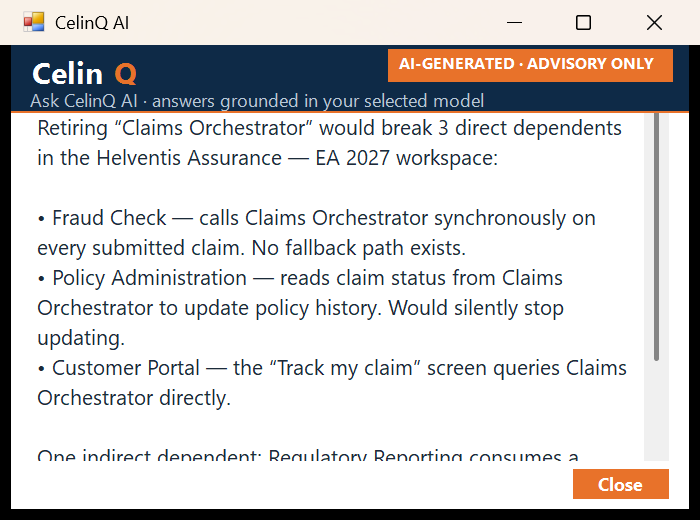
Ask "which applications depend on the CRM?" of a generic LLM and you get a plausible- sounding guess. Ask CelinQ, and the answer is built from your actual model: entity names, types, policy-permitted properties, notes, and — where the workspace policy allows it — the neighbouring relationships around the selected element. The response names the real elements involved, because it was never asked to imagine them.
Generate directly into the selected package
Select a package, describe what you want in plain language — "add a Fraud Check service that guards the Claims Orchestrator" — and the elements and relationships are drafted directly into that package as real model content, previewed before anything is applied. The fuller requirements-to-architecture story →
Four providers, one gateway, your choice
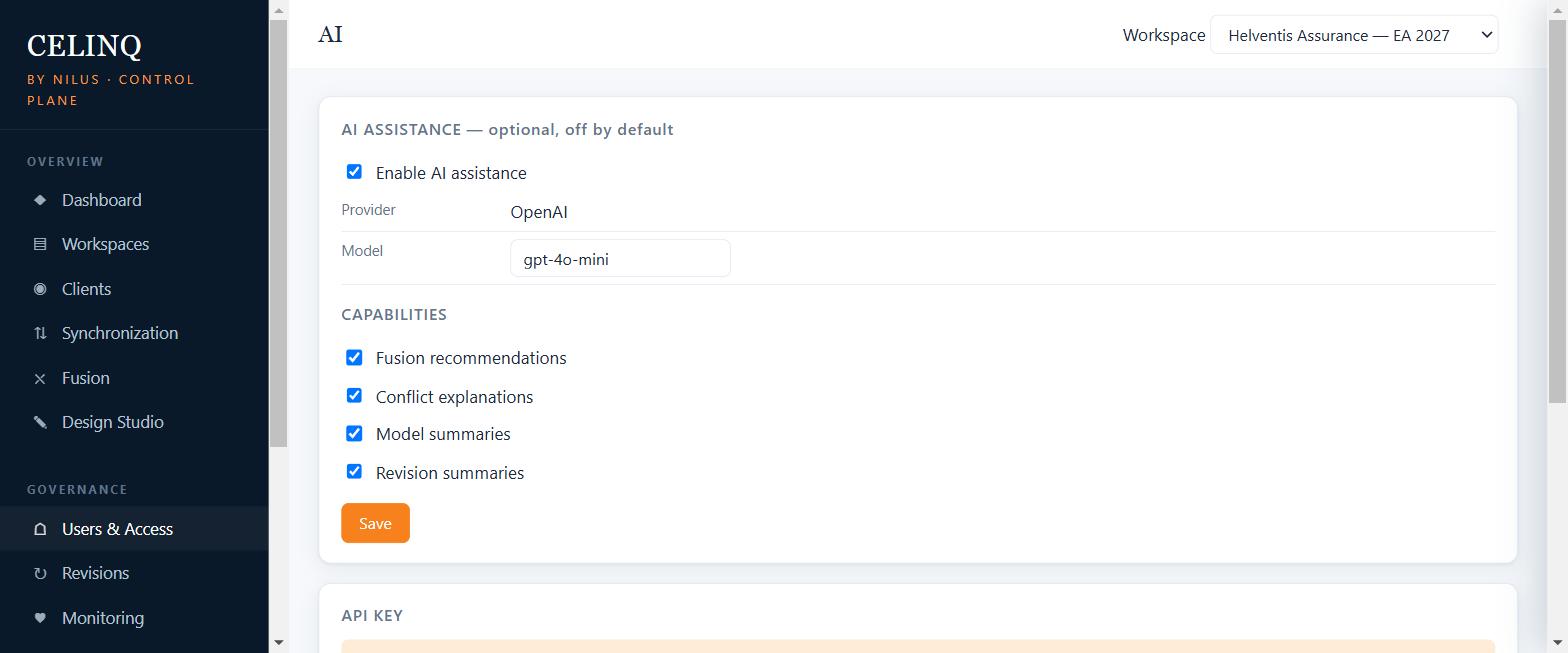
CelinQ's AI layer isn't tied to one vendor. An administrator can point it at OpenAI, Azure OpenAI, Anthropic, or any self-hosted OpenAI-compatible endpoint (vLLM, Ollama, LM Studio, a private gateway) — switching providers doesn't touch the workspace's history, governance, or the deterministic parts of the model that never needed AI to begin with. Every call still passes through the same policy gateway regardless of provider: disabled by default, enabled feature by feature, every request auditable.
| Where the call happens | Only the CelinQ Server your organisation runs. The EA add-in never talks to a provider directly — it relays through the local CelinQ Connect agent to the server, and only the server calls out, and only if an administrator switched that capability on. |
|---|---|
| What's sent | Scoped by workspace AI policy — entity name and type always; notes, tags, and neighbourhood relationships only if the policy allows it. Configurable per workspace, previewed for an administrator before it's ever sent for real. |
| What writes back | Nothing, automatically. Every generated or analysed result is previewed. A person applies, edits, or discards it. |
| Sovereign mode | A deploy-time switch that removes external AI entirely and irreversibly — for organisations that cannot accept any external AI exposure, at all, ever. |
What doesn't need AI at all
Not every question about a model needs a language model to answer it. Deterministic dependency queries — what depends on this element, what does it depend on — run as direct graph lookups against the shared workspace, no AI involved, no risk of a plausible-sounding wrong answer. Rules, graphs and statistics answer most model questions without AI →, and CelinQ keeps that layer working entirely on your own infrastructure whether or not AI is switched on at all.
The same discipline applies to model-quality questions that look like they need judgement but are actually graph patterns: detecting likely-duplicate applications and components is scored deterministically today within one Enterprise Architect repository, with the merge decision always left to a person — never an automatic delete, never a silent consolidation.
What's shipped, what's direction
Honest, on purpose: generation, analysis, the policy gateway, the four providers, and deterministic one-hop dependency queries are real and live today. Cross-project duplicate detection (useful once Archi's shared-workspace story is in play — see that page) and multi-hop "full blast radius" impact analysis are the direction this is heading, not features being described as though they already ship.
Ask it about your own repository
A trial workspace is seeded with real content so the first question you ask gets a real, grounded answer — not a demo script.